
ZeroTrace HID
Web UI
Browser-based control center hosted on the device at 192.168.4.1
The web UI runs on the device itself, no install, no signup, no internet required. Connect to the ... ZT WiFi network and open http://192.168.4.1.
Panels
Script Executor
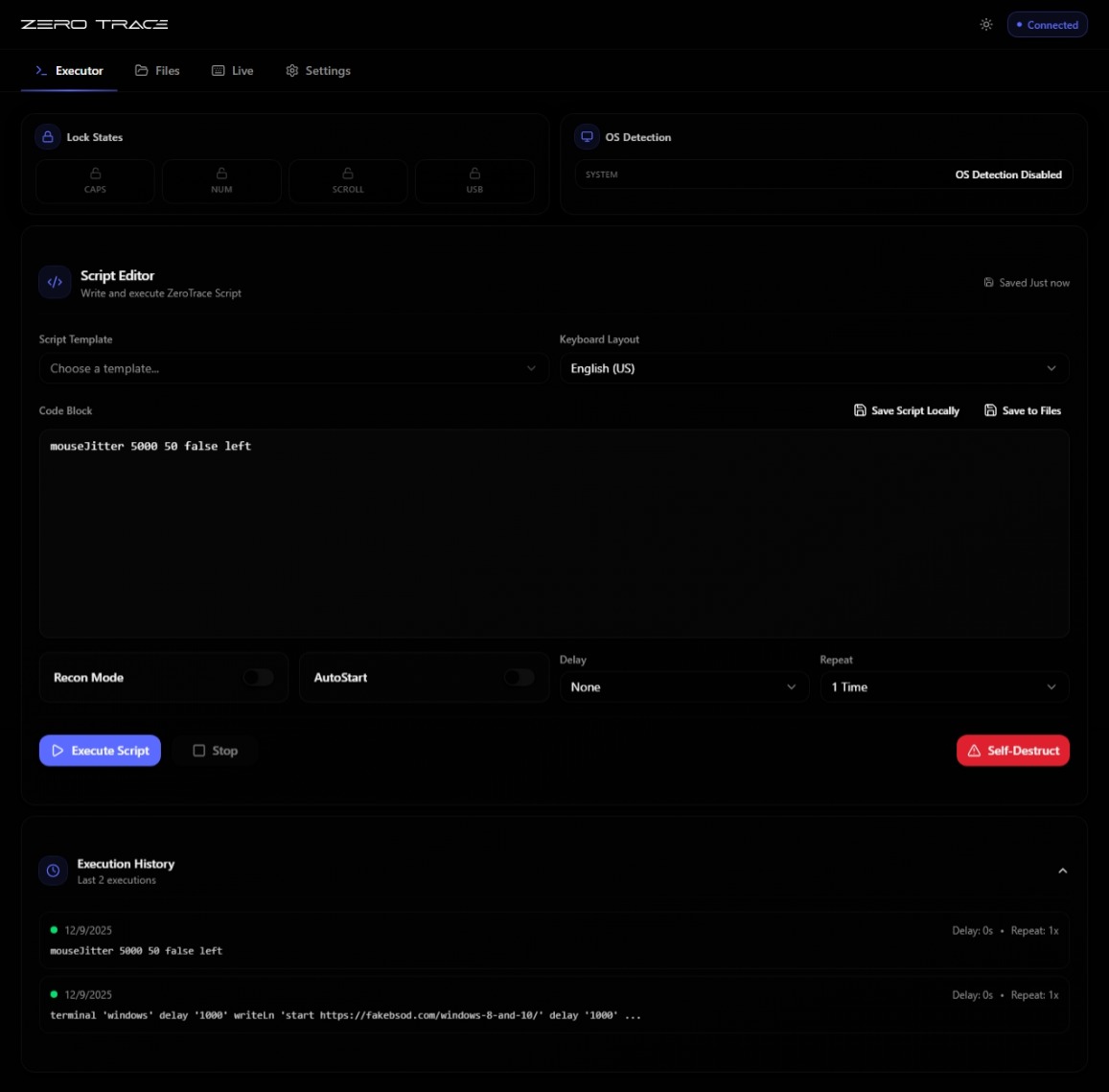
Edit and run scripts in real time. Save to device storage, hot-swap between payloads, watch the live execution log.
File Manager
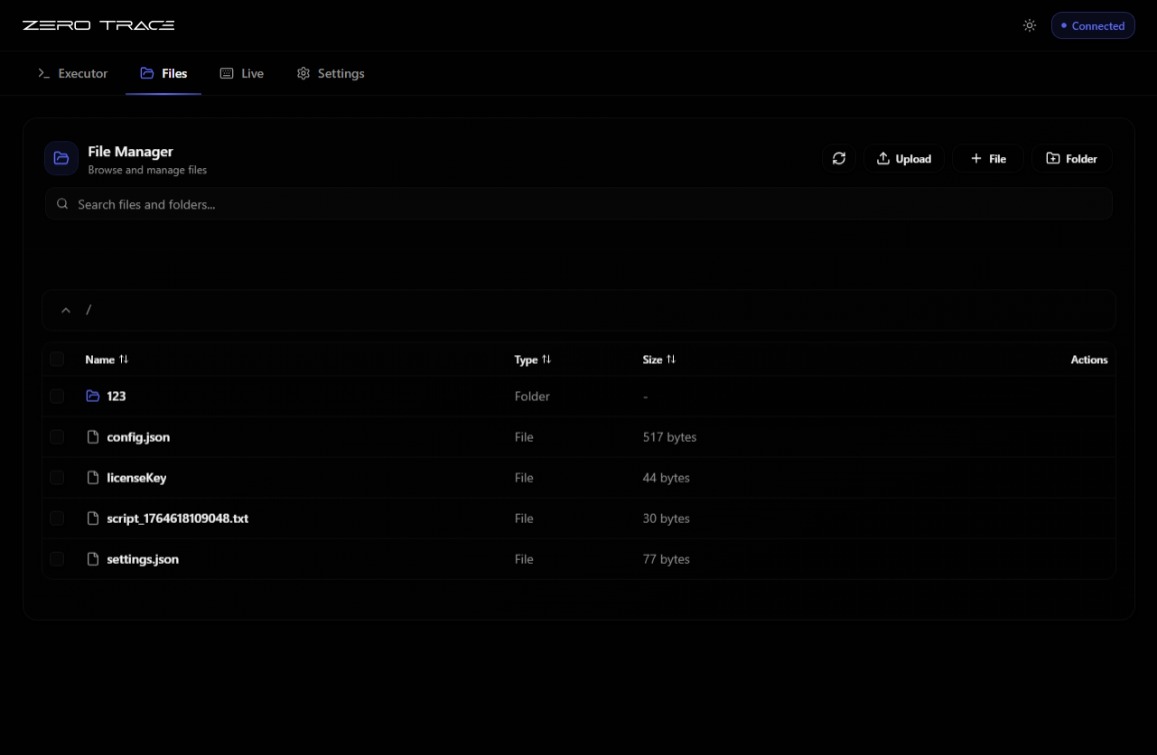
Browse the on-device filesystem (10 MB on Kit, 2 MB on Mini and Ghost). Upload, edit, rename, delete. Set the autostart script.
Live Mode
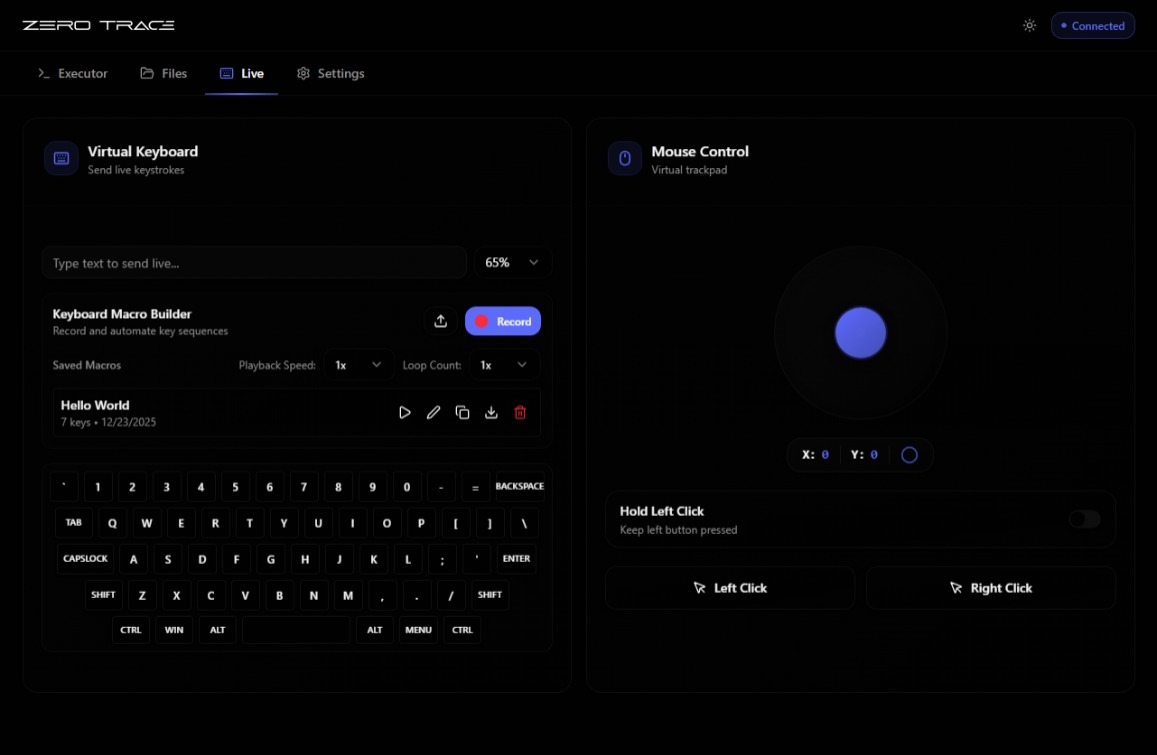
Virtual keyboard and mouse, type or move the cursor on the target host directly from your phone or laptop. Switches transports automatically (USB-HID or BLE-HID) via SilentTrace.
Live mouse is USB-HID only. BLE doesn't carry pointer reports. Live keyboard works over both.
Settings
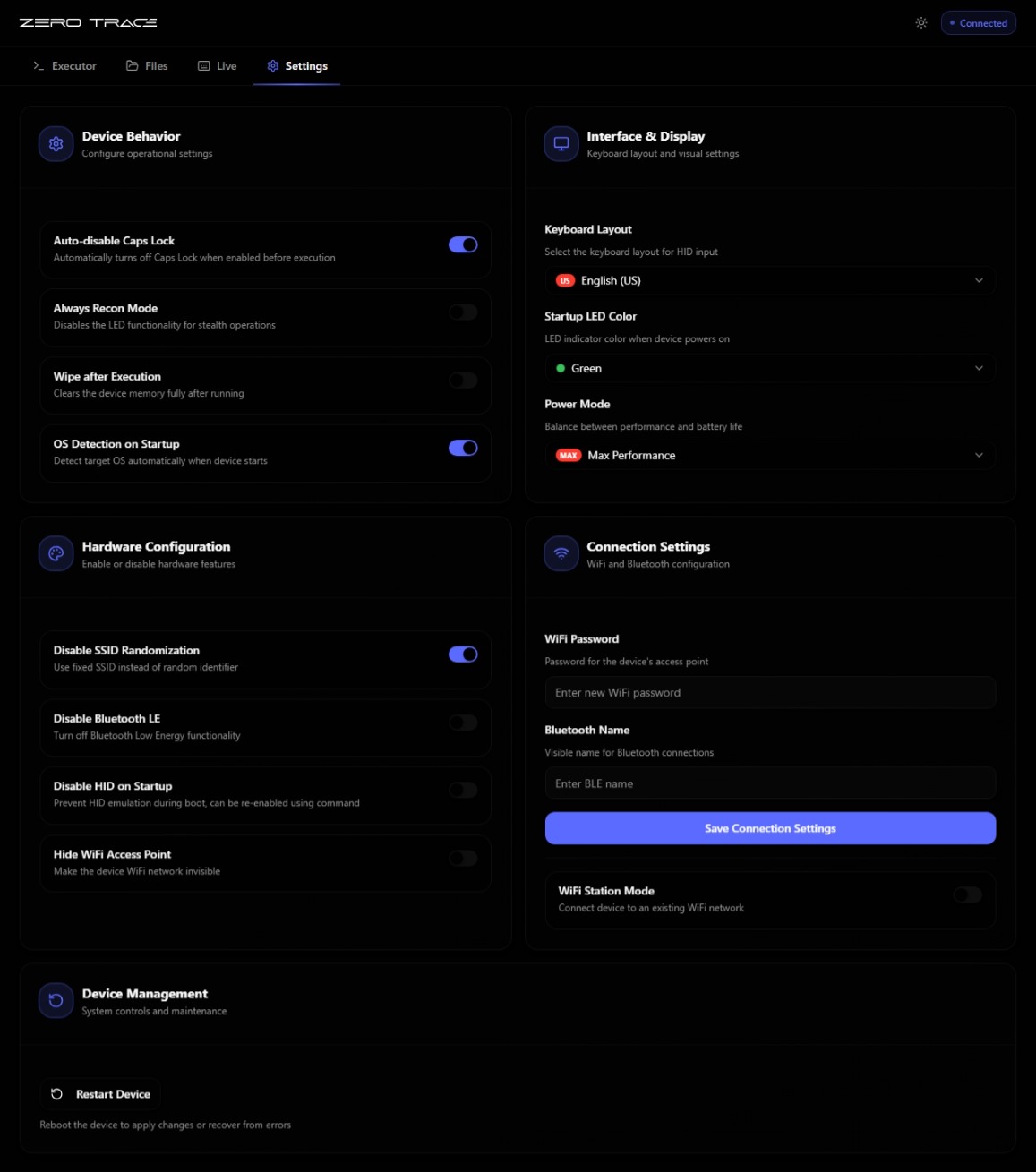
WiFi (AP/STA, SSID, password), keyboard layout, power mode, HID mode (keyboard/mouse/MSC), BLE spoofing identity, OS detection toggle, autostart, recon mode, self-destruct, TraceNetwork passphrase.
Workflow advantage
| Step | Classic HID injector | ZeroTrace |
|---|---|---|
| Edit | Local IDE | Browser |
| Build | Compile to firmware | None |
| Deploy | Flash device | Save in browser |
| Test | Plug, run, observe | Click run |
| Iterate | Repeat all four | Edit, click run |
The compile-flash-test cycle drops out entirely, scripts run instantly off the device's filesystem.
Tips
- Bookmark
http://192.168.4.1on your phone, fastest path back to the script editor. - Lock the AP password in Settings if you use the device in shared spaces.
- Switch to STA mode (join an existing WiFi) if you want to control the device from the same network as everything else.